

Host SelfUpdate
The CapaInstaller Console updates itself when it detects that a newer console version is registered in the CapaInstaller database. This keeps every console installation on the same version as the rest of the system.
When you update CapaInstaller with the Setup Wizard, the installer for the new console version is stored in the CapaInstaller database. Each console compares its own version with the version registered in the database:
- When the console starts.
- Every 2 minutes while the console is running.
Requirements for self-update
Section titled “Requirements for self-update”The console can only update itself when these requirements are met on the operator computer:
- The CapaInstaller agent is installed, and its HealthCheck service (
CiInstSvc) is running. The HealthCheck service performs the installation of the new console version. - The HealthCheck service is version 4.2.43 or later.
- The console installation is complete and includes the self-update program (
SelfUpdate.exe) in the console installation folder.
If the HealthCheck service isn’t running or is out of date, the console requests an agent run on the computer so that the agent can repair it.
Update detected when the console starts
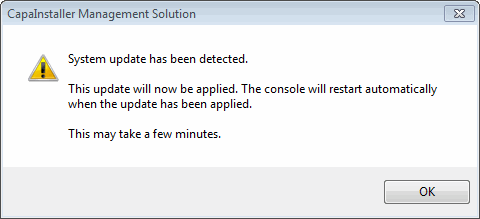
Section titled “Update detected when the console starts”If a newer version is detected when the console starts, and the self-update requirements are met, the console downloads the new version from the database and informs you that the update will be applied. Click OK. The console closes, the update is installed, and the console opens again when the update is done. This can take a few minutes.
Update detected while the console is running
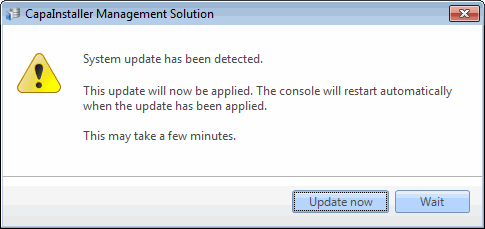
Section titled “Update detected while the console is running”If a newer version is detected while the console is running, you get a similar message with two options:
- Update now: the console closes, the update is installed, and the console opens again.
- Wait: the message closes, and you’re prompted again a few seconds later. Use it to finish what you’re doing. It’s recommended that you let the console update as soon as possible.
When self-update isn’t possible
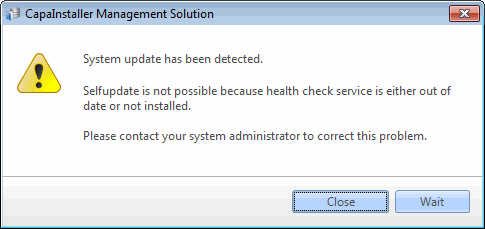
Section titled “When self-update isn’t possible”If the self-update requirements aren’t met, the console can’t update itself. The message tells you that the health check service is either out of date or not installed, and asks you to contact your system administrator.
- When this happens at startup, the console closes after you click OK.
- When this happens while the console is running, click Close to close the console, or Wait to be prompted again later.
If the console can’t download the new version from the database, it shows the message This installation is unable to selfupdate and closes.
To solve the problem, make sure the CapaInstaller agent and its HealthCheck service are installed and running on the operator computer, or update the console manually by running the CapaInstaller Console installer on the computer.