

Lock Single App Payload iOS
Description
Section titled “Description”This payload can be used to lock a device to run a single app only.
In order to be able to use this feature, the device must be Supervised, otherwise this will not work.
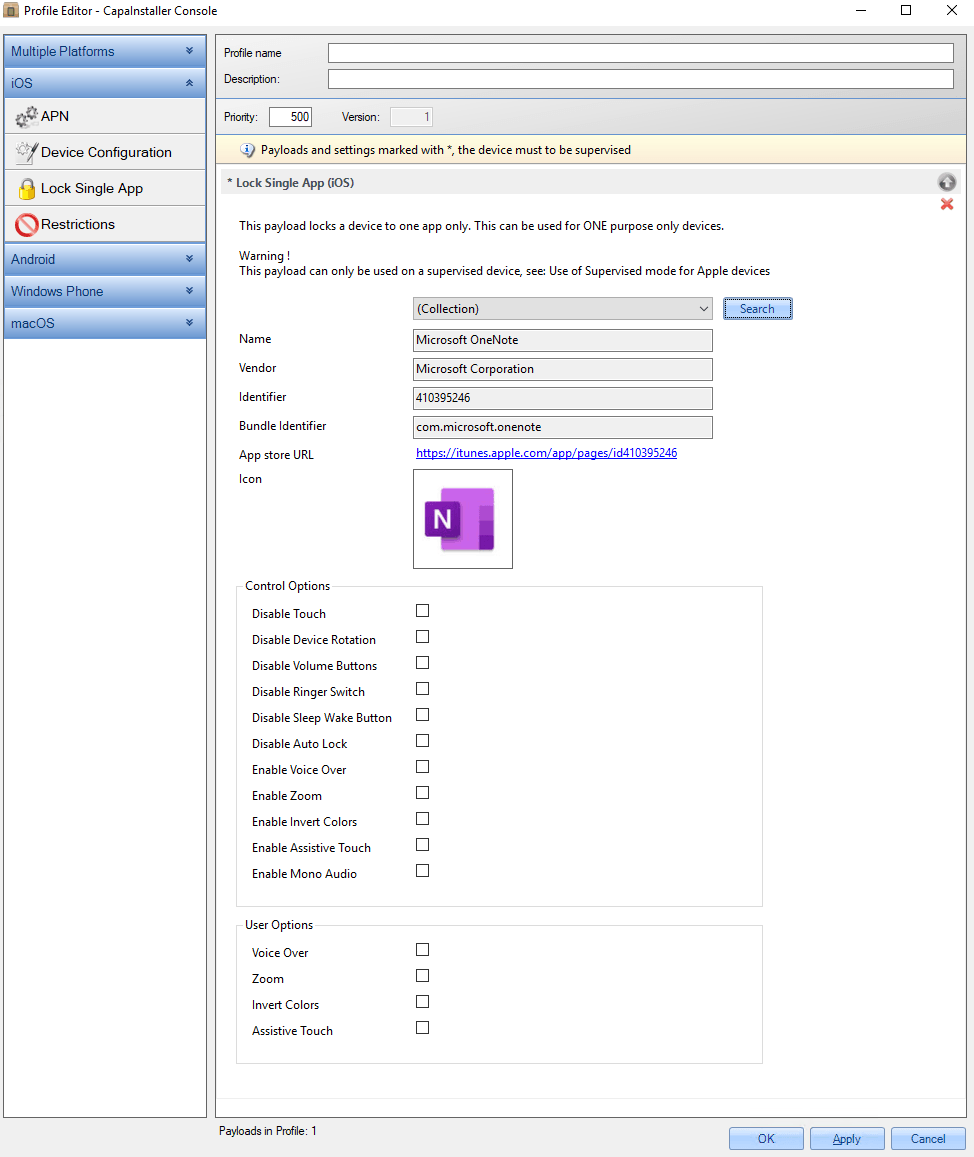
Configuration
Section titled “Configuration”| MANDATORY | CONFIGURATION | DESCRIPTION | EXAMPLE |
|---|---|---|---|
| Yes | Select app / Search | First you need to select the app the device should be locked to. It can either be one of the standard preinstalled apps (like Mail or Safari), or it can be an app from AppStore or an Enterprise app. | Apps on App Store |
| Name | This will be filled when selecting an App. | Microsoft OneNote for iPhone | |
| Vendor | This will be filled when selecting an App. | Microsoft Corporation | |
| Identifier | This will be filled when selecting an App. | 410395246 | |
| Bundle Identifier | This will be filled when selecting an App. | com.microsoft.onenote | |
| App Store URL | This will be filled when selecting an App. | https://itunes.apple.com/app/pages/id410395246 | |
| Icon | This will be filled when selecting an App. | ||
| Control Options | This configures the device standard features | ||
| Disable Touch | Disable touchscreen | ||
| Disable Device Rotation | Disable app rotation when the device rotates | ||
| Disable Volume Buttons | User can’t control volume | ||
| Disable Ringer Switch | User can’t control Ringer Switch | ||
| Disable Sleep Wake Button | User can’t set the device to sleep | ||
| Disable Auto Lock | The device will not go to lock mode | ||
| Enable Voice Over | Voice Over is allowed | ||
| Enable Zoom | Zoom is allowed | ||
| Enable Invert Colors | Invert the screen colors | ||
| Enable Assistive Touch | Enable assistive touch | ||
| Enable Mono Audio | Audio is Mono | ||
| User Options | This configures the user standard features | ||
| Voice Over | Voice Over supported | ||
| Zoom | Zoom supported | ||
| Invert Colors | User can invert colors | ||
| Assistive Touch | User can use Assistive Touch |