

Export
Introduction
Section titled “Introduction”Export is used to export application groups, unmanaged software queries, and known files to an XML file. The XML file can be taken to another system, and imported into that system. Open the dialog from File → Export….
The export file contains:
| Item | What is exported |
|---|---|
| Application groups | The name and version of each group, its group queries, and its metering executables. Licenses and linked software are not exported. |
| Unmanaged Software | The name and version of each unmanaged software query. |
| Known files | The file name and the application name you defined for each registered file. |
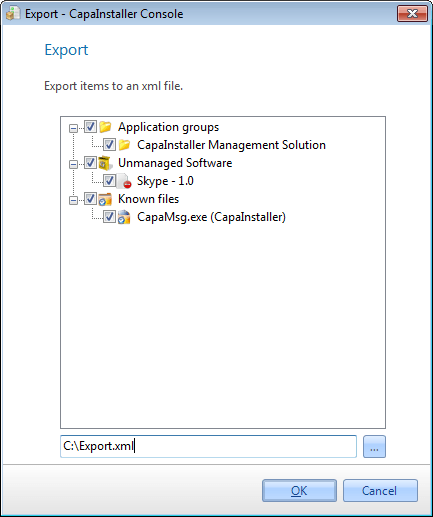
| Element | Description |
| Check items | Check the items in the tree view, that you want to export to the XML file. |
| Locate file | Locate the file to export the selected items. By default, the file is saved in %APPDATA%\CapaInstaller\Asset Export\. |