

Use Import in OS Deployment
OSD lets you import images, models, drivers and scripts from a portable zip file that was exported from another installation. Points, servers and PXE servers can’t be imported.
| Step | Action |
| 1 | In the OS Deployment tree, right-click the deployment point, the Images, Models or Scripts node, or a model you want to import into, and select Import…. |
| 2 | In Source file, specify the zip archive to import from. 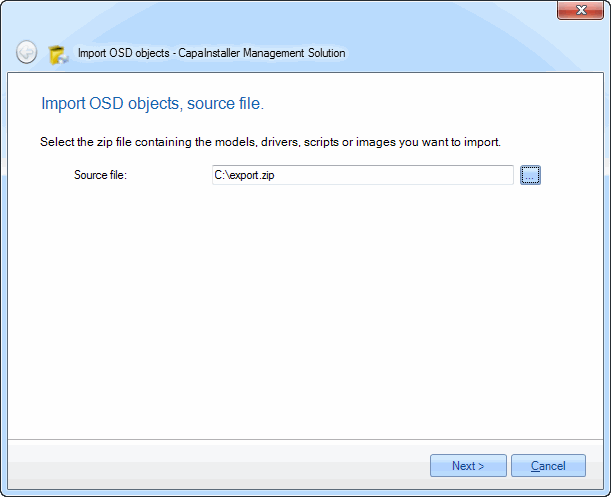 |
| 3 | Select the target point and the components you want to import. 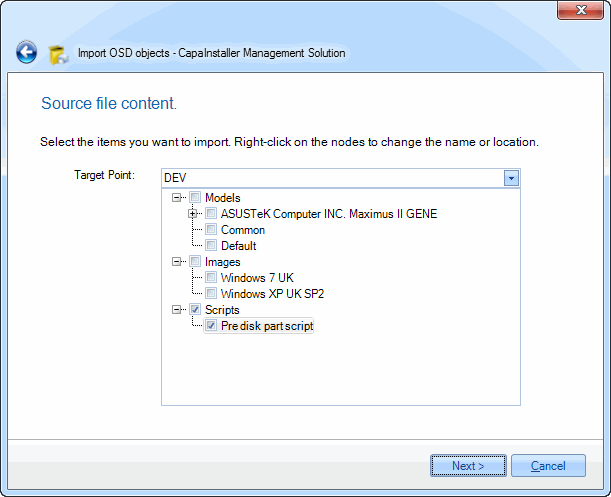 |
| 4 | If OSD detects conflicts with existing components, right-click the component and choose how to resolve it: Rename, Overwrite or Exclude. 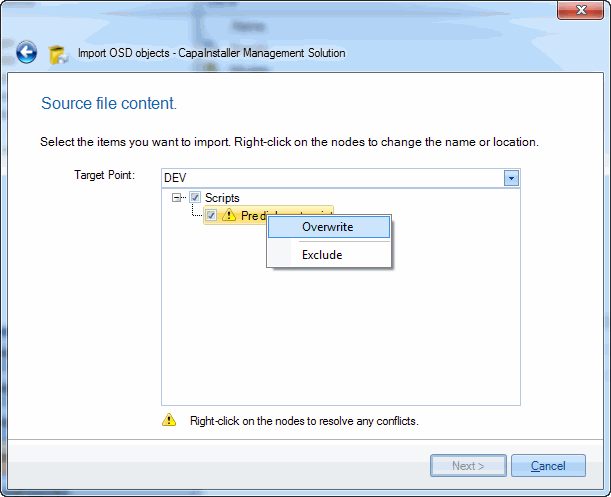 |
| 5 | Enter a change description and click Commit. OSD imports the selected components. |