

Replicator Service Settings
Introduction
Section titled “Introduction”You change the settings of the CapaInstaller Replicator Service in the System Administration plugin. Right-click the Replicator and select Service settings…. The service settings consist of four tabs: General, Dependencies, Database, and Log on.
General
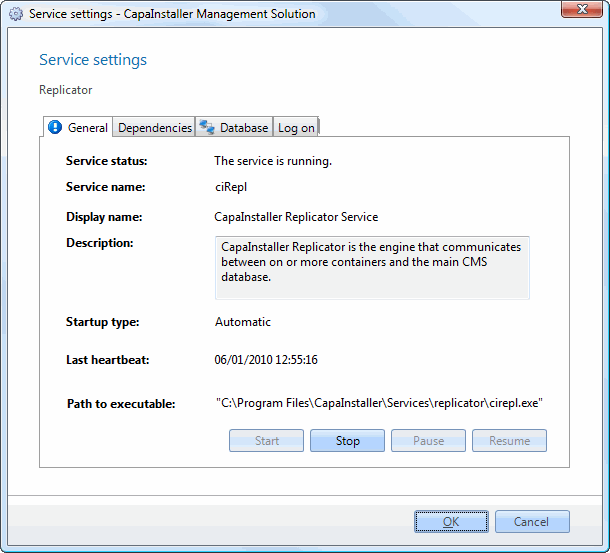
Section titled “General”This tab resembles the property page for the service found in the services of the control panel. Each of the settings available in each tab of this dialog is described below.
| Element | Description |
| Service status | Status of the Replicator service. Equivalent to services in the control panel. |
| Service Name | The name of the service used by the operating system. |
| Display name | The name you will see in services in the control panel. |
| Description | Description of the service. |
| Startup type | The type of service. This can be either; automatic, manual, or disabled. The default value is automatic. |
| Last heartbeat | This is a timestamp for the last Replicator activity. |
| Path to executable | The full path to the program that is started by the service. |
Dependencies
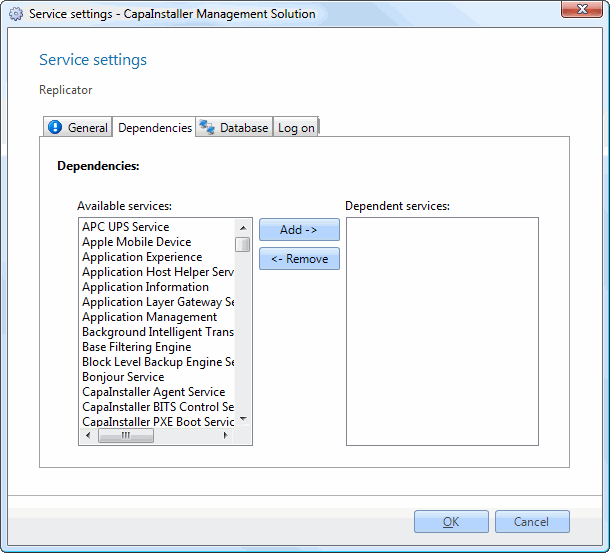
Section titled “Dependencies”On this tab, you will be able to view and set dependent services for the Replicator Service. For instance, you could require a VPN client service to run, to establish the network connection to the parent point.
| Element | Description |
| Available services | A list of services available on the computer. |
| Add - > | Adds the selected service in ‘Available services’ to the list; ‘Dependent services. |
| < - Remove | Removes the selected service in ‘Dependent services’ and adds it to the list, ‘Available services’. |
| Dependent services | A list of services required to run for the operating system to allow the CapaInstaller Replicator Service to start. |
Database
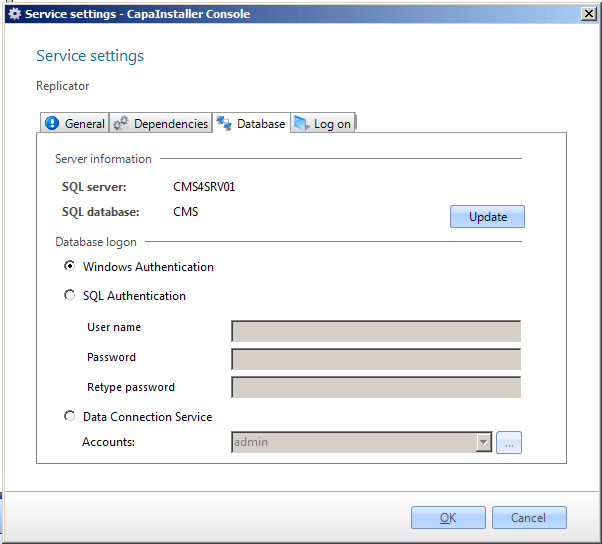
Section titled “Database”On the database tab, you can change the authentication method to the SQL server.
| Element | Description |
| SQL server | The SQL server that the CapaInstaller Replicator Service connects to. |
| SQL database | The SQL database that holds the CapaInstaller Management Solution database. |
| Update | Clicking on this button the CIRepl settings.xml is updated with the correct database. |
| Use Windows authentication | Instructs CapaInstaller Replicator Service to establish a database connection by identifying itself with the computer account. |
| Use SQL authentication | When this radio button is selected CapaInstaller Replicator Service will connect to the database with the credentials in the user name and password fields. |
| User name | The user name used to connect to the database when SQL authentication is selected. |
| Password | The password that goes with the user name stated above. |
| Data Connection Service | When this radio button is selected CapaInstaller Replicator Service will connect to the database through the Data Connection Service. Note that using this setting can affect performance, due to the amount of SQL traffic made by the Replicator Service. |
| Account | The Data Connection Service account used by the CapaInstaller Replicator Service. |
| Element | Description |
| OK | Clicking this button commits any changes that you may have made and closed the dialog. |
| Cancel | Cancels any changes made and closes the dialog. |
Log on
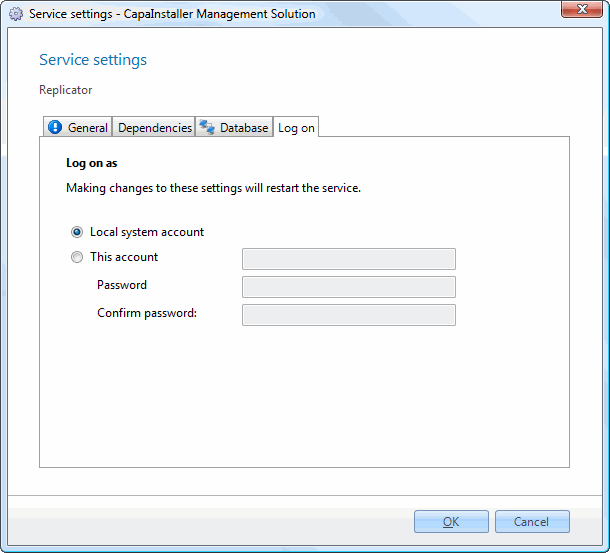
Section titled “Log on”On the Log on tab, you select the account that the Replicator Service runs as. Changes to these settings restart the service.
| Element | Description |
| Local system account | The Replicator Service will operate under the Local System account. |
| This account | The Replicator Service will operate under the specified account. |
| Password | The password that goes with the user name stated above. |
| Confirm password | Confirm the password. |
| Element | Description |
| OK | Clicking this button commits any changes that you may have made and closed the dialog. |
| Cancel | Cancels any changes made and closes the dialog. |