

File Transfer Payload
Description
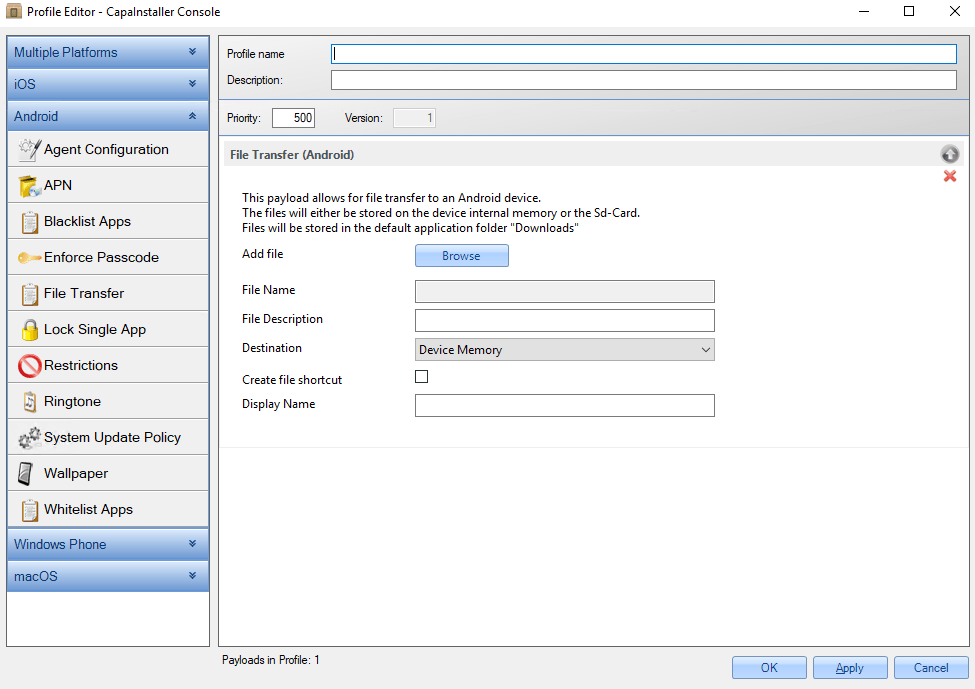
Section titled “Description”This payload can be used to transfer files to an Android device. The files will either be saved in the internal device memory or on the SD card, depending on the Destination chosen in the profile settings.
The file is placed in the “Downloads” folder.
If Create file shortcut is enabled, a shortcut to the file will be placed on the device home screen.
Configuration
Section titled “Configuration”| MANDATORY | CONFIGURATION | DESCRIPTION | EXAMPLE |
|---|---|---|---|
| Yes | Add file | Browse to the file you want to transfer. | |
| Yes | File Name | The name of the file that is saved on the device. It’s filled in when you select a file. | file-transfer-for-android.pdf |
| File Description | Short description of the file content | ||
| Destination | Should the file be saved in the device internal memory or on the SD card. The options are Device Memory (default) and SD Card (if available). | Device Memory | |
| Create file shortcut | If enabled, creates a shortcut to the file on the Android home screen. Not enabled by default. | ||
| Display Name | If Create file shortcut is enabled, this name is used for the shortcut on the home screen. | File transfer guide for android |