

Department groups
Department groups are created manually and membership is based on the manual adding and removing of specific units. Department groups can only hold computers. You will usually use Department groups to collect units because these can easily be shown in the reporter
Properties
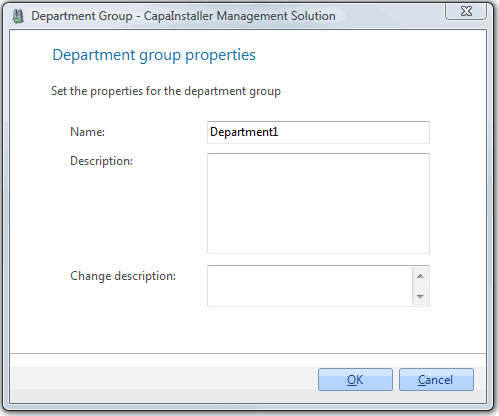
| Element | Description |
| Name | Name of the group |
| Description | Description of the group. |
| Change description | A custom comment that will be added to the changelog. |
Right-clicking on a department group gives you the following options:
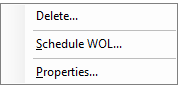
| Element | Description |
| Paste computers | Only shown when the unit buffer contains computers. Adds the computers to the group. The number of computers is shown in parentheses. |
| Paste packages | Only shown when the package buffer contains packages of the same type as the group (computer or user packages). Links the packages to the group. |
| Paste printers | Only shown when the unit buffer contains printers. Links the printers to the group. |
| Paste Profiles/Applications | Only shown when the profile buffer contains profiles or applications. Links them to the group. |
| Paste Self Service Configurations | Only shown when the buffer contains Self Service Configurations. Links them to the group. |
| Set default printer… | Only shown when printers are linked to the group. Sets the default printer for the members of the group. |
| Load/Refresh Packages | Only shown when you right-click the group in the tree view. Loads the packages that are linked to the group. |
| Delete a group | Delete… — Opens the delete group form. |
| Scheduling | Schedule WOL… — Opens the schedule form for the group. Schedules a Wake On LAN for the units in the group. Only shown for groups that contain computers. |
| Reset Schedule’s last run | Resets the last run time of the group’s Wake On LAN schedule. Only shown for groups that contain computers. |
| Properties… | Shows the properties for the group. |
Icons
| Element | Description |
 |
Department Group. |
 |
Department Group with a WOL scheduled. |