

Create a new model
The following is a description of how to create a new model.
| Step | Action |
|---|---|
| 1 | In the OS Deployment tree, expand the OS Deployment point, right-click Models, and then click Create model…. |
| 2 | Select your preferred method: Create a new Model, Copy existing Model, or Import Model from preinstalled computer.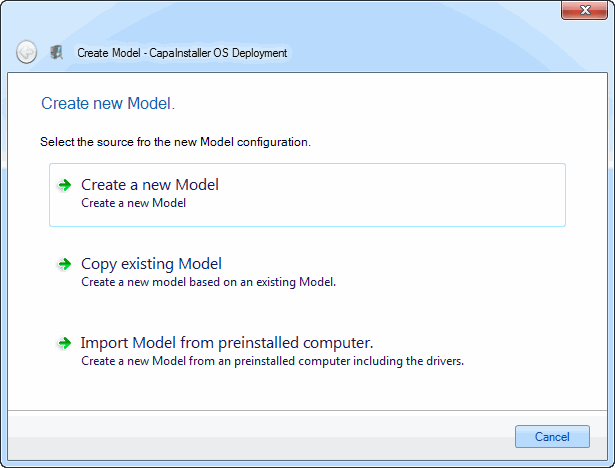 |
Create a model from scratch
Section titled “Create a model from scratch”| Step | Action |
|---|---|
| 1 | Enter the name, an optional description and the SM Bios name for the new model. To match several computer models, separate the SM Bios names with a vertical bar (|). Add an asterisk (*) at the end of a name to accept a partial match.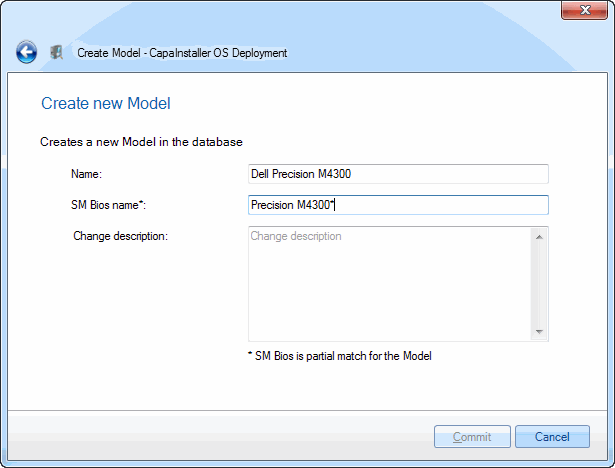 |
| 2 | Enter a change description and click Commit when done. |
Copy an existing model
Section titled “Copy an existing model”| Step | Action |
|---|---|
| 1 | Select the source point and the model to copy from.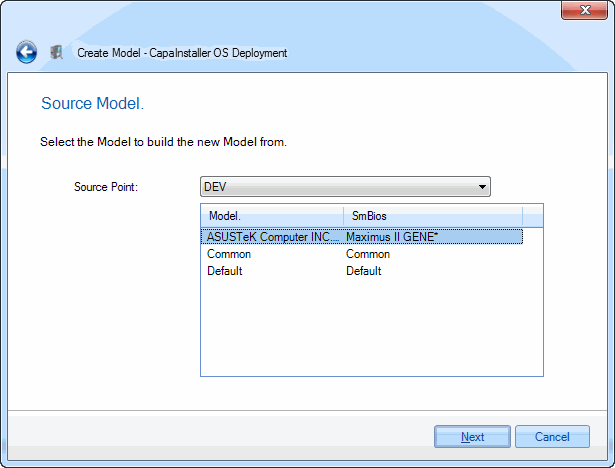 |
| 2 | Select the drivers to be copied.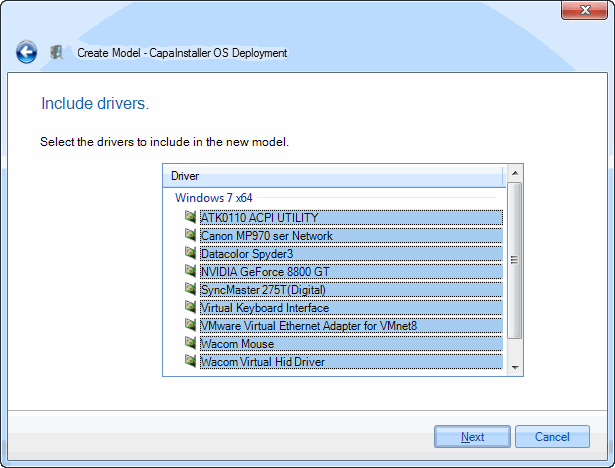 |
| 3 | Enter the name and SM Bios name for the new model. |
| 4 | Enter a change description and click Commit when done. |
Import a model from a preinstalled computer
Section titled “Import a model from a preinstalled computer”| Step | Action |
|---|---|
| 1 | Enter the name of the computer to use as the source, and click Validate to check that the computer can be reached. Click Next.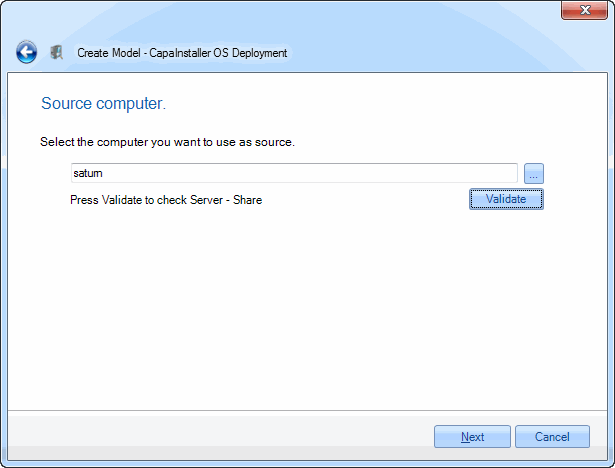 |
| 2 | Select the drivers to be included.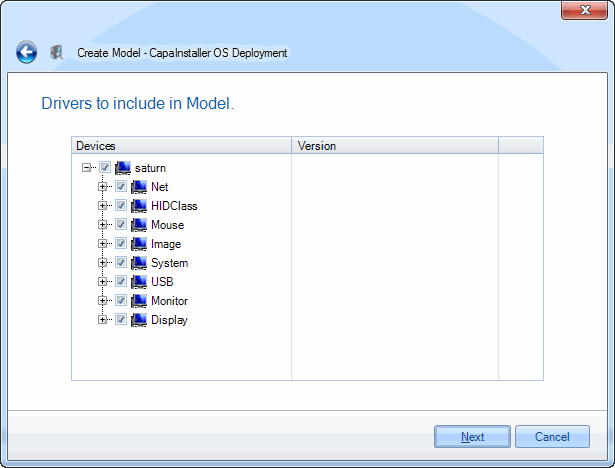 |
| 3 | Enter the name and SM Bios name for the new model. |
| 4 | Enter a change description and click Commit when done. |
The new model appears under Models on the OS Deployment point. To create another model, click Create another Model. on the last page of the wizard.