

Configuration Management tree view
The following is a description of the tree view, also known as the navigation pane, in Configuration Management.
In the image below, the general organization of the elements can be seen.
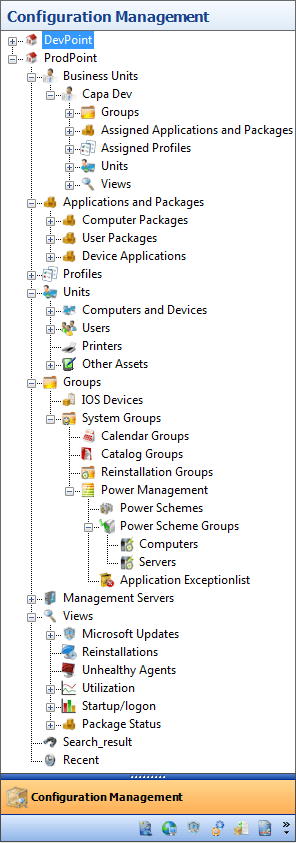
The root nodes in the tree are Configuration management point in Configuration Management. Inside each Configuration Management Point, you find these nodes:
- Business Units — see Business Units in Configuration Management.
- Applications and Packages — contains Computer Packages, User Packages and Device Applications. See Packages.
- Profiles — see Profiles.
- Units — contains Computers and Devices, Users, Printers and Other Assets. See Units in Configuration Management.
- Groups — contains your own groups and the System Groups node. System Groups contains Calendar Groups, Catalog Groups, Self Service Configurations, Reinstallation Groups and Power Management. See Groups and Power management introduction.
- Management Servers — see Management servers.
- Views — see Views.
At the bottom of each Configuration Management Point, you find the Search result node and the Recent node, which give access to search results and units that you recently worked with. See Search for item and Recent folder.