

Change License
You change your CapaInstaller license by entering a new license key in the CapaInstaller Console. You need a new license key when, for example:
- Your trial period has been extended.
- You have bought a full license to replace your trial license.
- You have extended your Service and Support period.
- You have bought additional CapaInstaller components.
- You have bought additional unit licenses.
Enter a new license key
Section titled “Enter a new license key”-
In the CapaInstaller Console, select Tools → License….
-
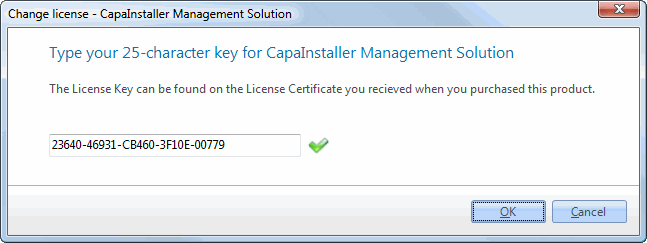
Type the license key. The dashes are added automatically.
-
Click OK.
If the new key is a trial or rental license and you currently have a full license, the console asks you to confirm the change.
-
When the console tells you that it must restart, click OK.
The console restarts with the new license. To see the details of your license, select Help → License Information.