

Database Connection settings
Configuring Database settings
Section titled “Configuring Database settings”The first time you start the CapaInstaller console, you need to configure the database settings. This has to be done for every first-time user.
- The following window appears if the Database Settings have not been configured:
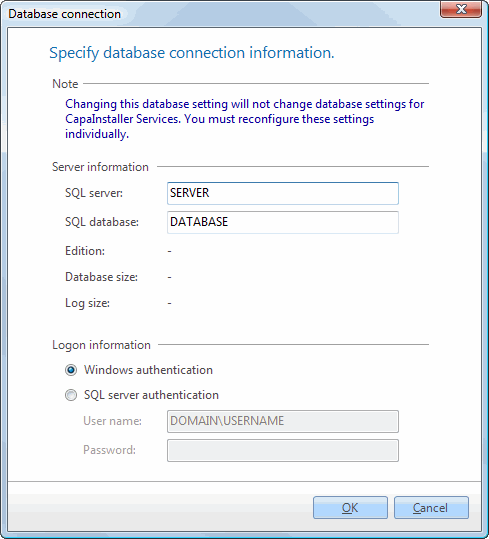
- Add the following information:
- SQL Server: Enter the name of the server on which the SQL database resides. If the database resides on a SQL instance, enter <Server>\<InstanceName>
- SQL Database: Enter the name of the database. The default name is CMS.
- Logon Information:
If the SQL Database uses native SQL Server Authentication, select SQL Server Authentication and enter the Username and Password. Otherwise, select Windows Authentication.
Click OK.