

Add a power scheme to a group
When you add a power scheme to a power scheme group, you select the start time from which the power scheme applies to the computers in the group. A group can contain several power schemes with different start times, but each start time can only be used by one power scheme in the group.
You can add a power scheme to a group in two ways: drag the power scheme to the group, or use the properties of the group.
Drag and drop
Section titled “Drag and drop”-
Find the power scheme in the navigation pane, and drag it to the power scheme group.
-
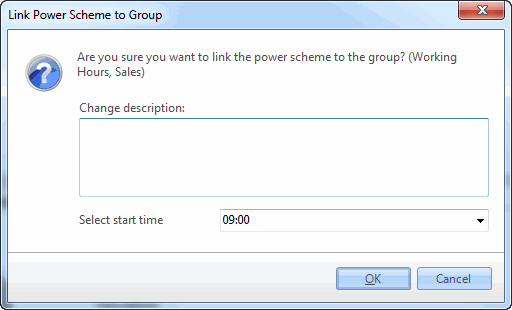
Optional: fill out the change description.
-
In Select start time, select when the power scheme is activated on the computers in the group.
-
Click OK.
From the power scheme group properties
Section titled “From the power scheme group properties”-
Find the power scheme group in the navigation pane, right-click it, and select Properties.
-
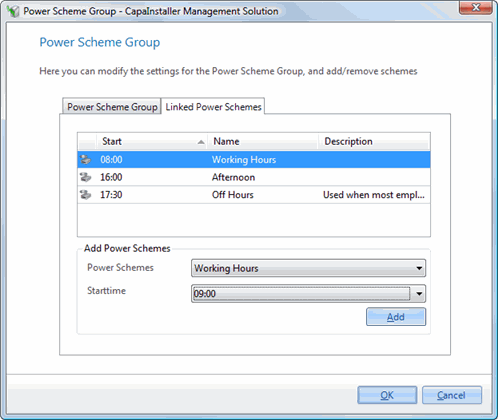
Select the Linked power Schemes tab.
-
Under Add power schemes, select a power scheme in Power schemes and a Start time.
-
Click Add.
-
Optional: fill out the change description, and click OK to confirm.
The power scheme is listed on the Linked power Schemes tab with its start time.