
Create a Legacy boot image
Introduction
Section titled “Introduction”The following is a description of how to create a Legacyboot image file.
| Step | Action |
| 1 | Click File menu and then Create boot file and choose Create Boot Image for legacy BIOS systems |
| 2 | Fill in the fields shown below: 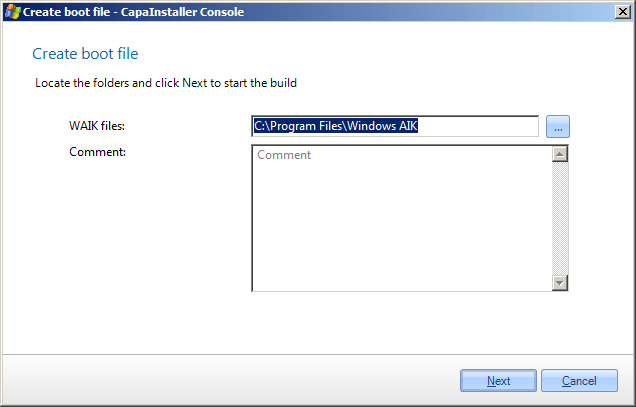 The “Copy to OS Deployment Point” option will not appear until one or more points have been created The “Copy to OS Deployment Point” option will not appear until one or more points have been created |
| 3 | Configure the bootfile. 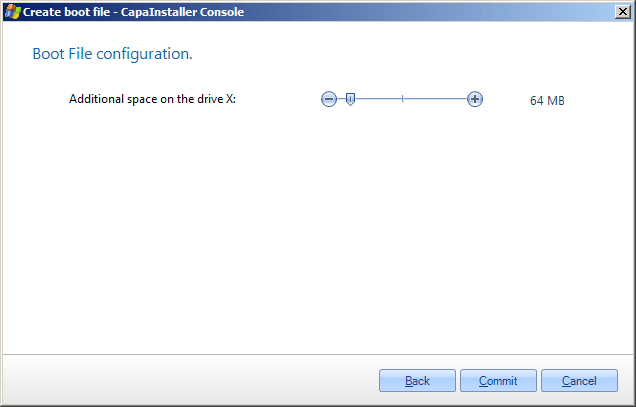 Additional space on drive X: defines the ramdrive scratch space, default value is 32 MByte. |
| 4 | Click Commit. |
| 5 | Build Boot File 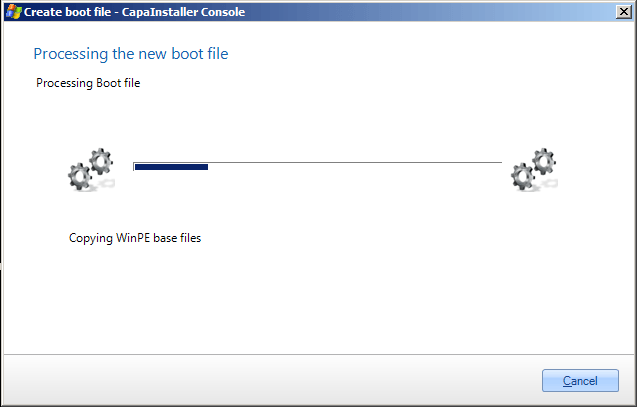 |
| 6 | When the build process is completed, you’ll have the option to update any PXE servers in your current OS Deployment Point and to promote the boot image to any child Deployment Point in your infrastructure. 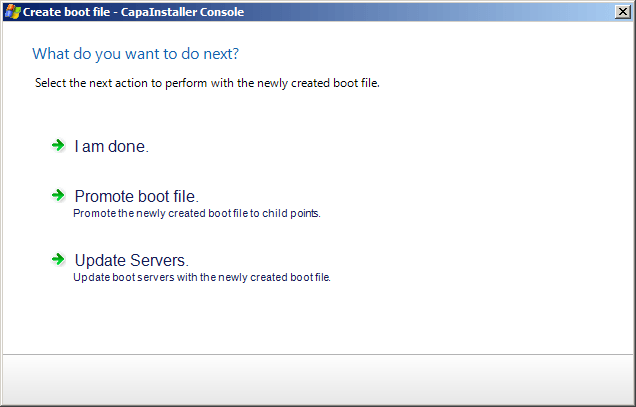 |