

Agent Doesn't Report Properly
Symptom: The PerformanceGuard agent doesn’t report information about CPU, memory, or a Windows performance counter.
Possible cause
Section titled “Possible cause”The PerformanceGuard agent can collect information from any Windows performance counter object. The agent reads the names of the available counters on the computer from this registry key:
HKEY_LOCAL_MACHINE\SOFTWARE\Microsoft\Windows NT\CurrentVersion\Perflib\009
The key normally contains the values Counter and Help, which hold the English names and descriptions of all performance counters:
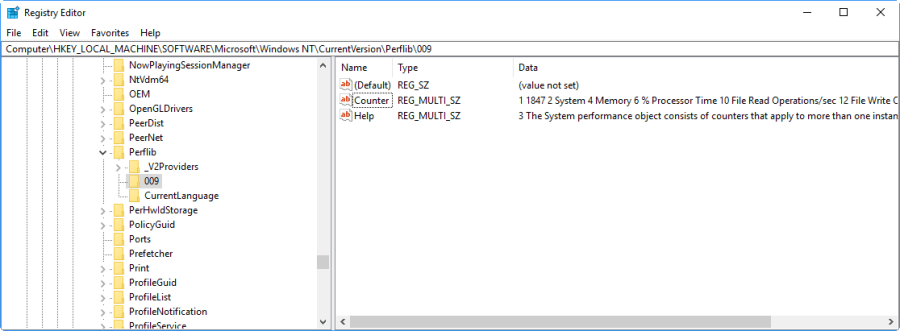
If these values are empty or damaged, the agent can’t find the available performance counters, and it doesn’t collect any counter data. This has been seen after Windows was not shut down gracefully, for example after a power loss.
Solution
Section titled “Solution”Rebuild the Windows performance counters on the affected computer:
-
Open an elevated Command Prompt (right-click Command Prompt and select Run as administrator).
-
Run this command:
Terminal window lodctr /R -
Run
lodctr /Qand check that no errors are reported.
The agent notices when the performance counter names change and restarts itself. If data still doesn’t appear after the next delivery interval, restart the PerformanceGuard agent service or restart the computer.
For more details, see Custom Counters with No Data.