

Computer Overview
The computer overview (ANALYZE > Computers > Computer Overview) is a bar chart that shows information about computers that have the PerformanceGuard agent installed: CPU type, operating system version, disk space, average startup and login times, and more. You can filter the information if you only need to view data from specific groups of computers.
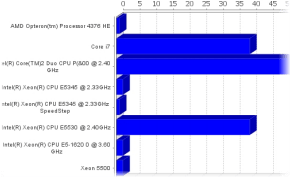
- In Chart type, select the required type of chart:
- CPU Type, RAM Size, System Disk Total Space, System Disk Free Space, Network Interface Card Speed
- IE Version, Operating System, Agent Version
- Startup Time (Avg.), Login Time (Avg.)
- Utilization Index Mem, Utilization Index CPU, Utilization Index Disk, Utilization Index Net
- In Agent groups, select which group of computers you want to view information about, or keep All agents.
- If relevant, use the Bottom X menu to limit your results. The menu is available for the RAM Size, System Disk Total Space, System Disk Free Space, Network Interface Card Speed, Startup Time (Avg.) and Login Time (Avg.) chart types. For example, select the System Disk Free Space chart type and Bottom 10 to only view the ten computers that have the least free disk space.
- For the startup time, login time and utilization index chart types, select the required Interval.
- Click the Update button.