

CapaOne Reliability
With the integration between PerformanceGuard and CapaOne, you can get reliability data from every client. From a client in your PerformanceGuard installation, you can go directly to CapaOne to get a quick overview of the client’s health.
For a detailed description, see Reliability.
Prerequisites
Section titled “Prerequisites”- PerformanceGuard agent version 8.3 or later.
- A valid Portal Access Token. See Connect PerformanceGuard to CapaOne.
- A CapaOne contract with Reliability activated. The Reliability link only appears when PerformanceGuard finds an active Reliability contract for the Portal Access Token.
- The CapaOne agent installed on your clients. The link only appears for clients where PerformanceGuard knows the CapaOne agent.
Open reliability data from a widget
Section titled “Open reliability data from a widget”You can open the reliability data from any PerformanceGuard widget that lists clients, for example on these built-in dashboards:
- What’s Going On
- Detailed Computer Analysis
For example, on the What’s Going On dashboard:
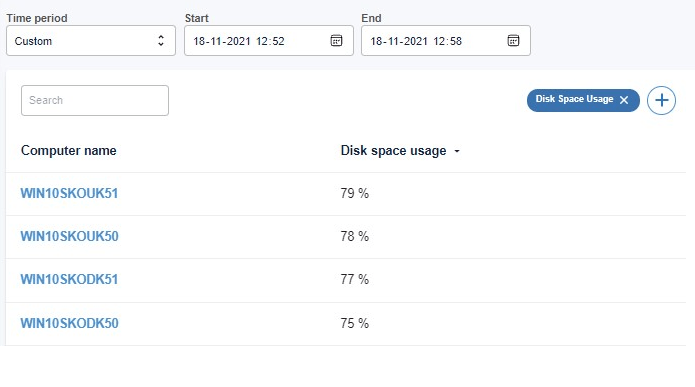
When you select a computer, a dialog shows the related dashboards. Under Cloud services, select Reliability.
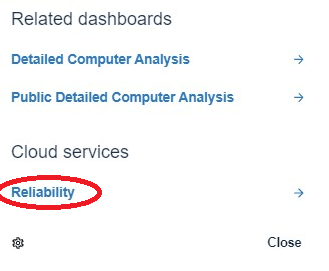
CapaOne opens with this client’s data.