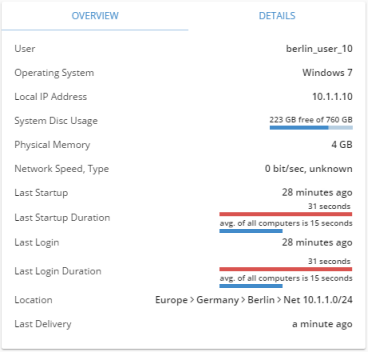
The Computer Info widget displays basic and detailed information about a selected computer.
You can view basic information like the computer’s name, location, operating system, IP addresses and currently logged-in user as well as supplementary information like disk usage, memory, startup and login times, etc.
If you can edit the dashboard, you can select which types of information go on the widget’s Overview tab in the widget setup (Select what you want to be listed on the overview tab). The rest of the information is shown on the Details tab.
The widget’s content is very straightforward, but here’s some additional information about a few of the widget’s items: