

Dashboards and Widgets
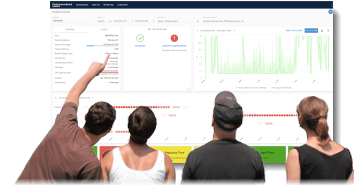 PerformanceGuard dashboards provide overviews of related types of performance information.
Dashboards are made up of Widgets. Widgets are smaller elements that each show a particular type of information. When you place multiple widgets side-by-side on a dashboard, you get an overview of related information. This can, for example, help you identify causes and effects in a single view.
Dashboard Relations link dashboards together. Administrators set them up under Administration → Dashboard → Relational dashboards. Users can then navigate from, for example, a computer on one dashboard to more details about that computer on another dashboard.
Guest Access lets people without a PerformanceGuard account view a single dashboard through a link.
In this section
Section titled “In this section”- What are Dashboards? - How dashboards work and how to create, share, and edit them.
- Widgets - The individual elements that make up a dashboard.
- Dashboard Relations - Link dashboards together for easy navigation.
- Dashboard Tags (Categories) - Sort dashboards with tags.
- Dashboard Reports - Save dashboards as PDF, now or on a schedule.
- Dashboard Slideshows - Show several dashboards in turn, full screen.
- Dashboard Thumbnails - How dashboard previews are generated.
- Favorites / Latest - Reach the dashboards you use most from the Home page.
- Guest Access - Give people without an account access to a single dashboard.
- Reliability - The stability history of your computers, in CapaOne.
- Tools on Graphs and Widgets - Change how graph data is shown, and export it.
- What’s Going On Dashboard - A near real-time overview of all computers.