

Computer Utilization Index
The utilization index is an Interactive Graphs that lets you compare memory, CPU, disk and network utilization over time on the selected computer.
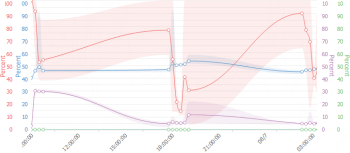
Utilization index data is based on 15-minute intervals.
To view the utilization index, select ANALYZE > Computers > Computer Search, and search for a computer. Then, in the search results, click the name of the required computer, and then select the Utilization Index tab.
To compare utilization across many computers, use the Utilization Index chart types in Computer Overview or the utilization index columns in the Client Resources hotspot (see Hotspot Overviews).