

Widgets
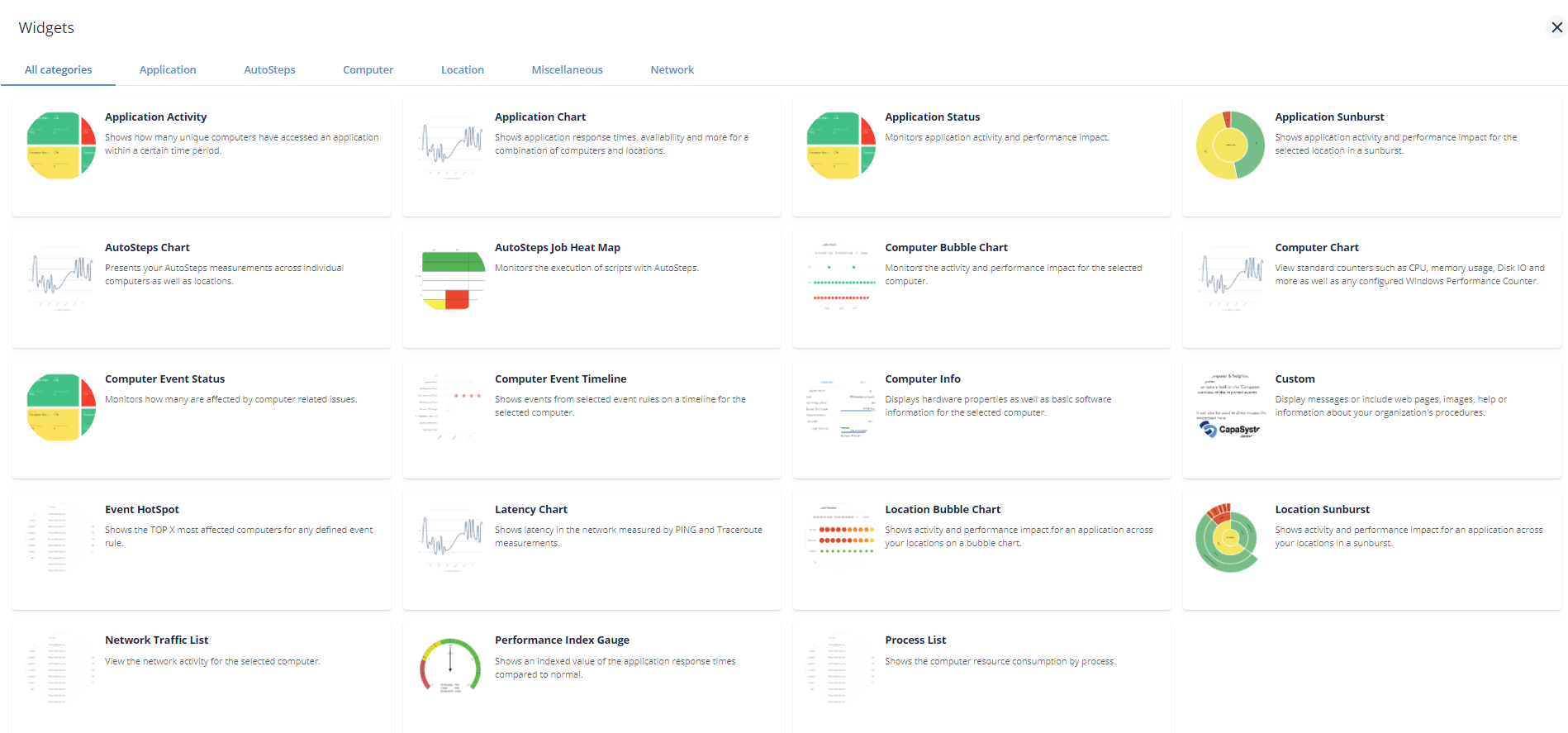
PerformanceGuard dashboards are made up of one or more widgets that each show a particular type of information. If required, you can have the same kind of widget multiple times on the same dashboard.
These widgets show information about computers or applications that you have selected on the dashboard, or that the person who set up the dashboard has selected for you.
Add a widget to a dashboard
Section titled “Add a widget to a dashboard”- Open the dashboard in edit mode.
- Click Add widget. The widget catalog opens.
- Browse the widgets by category. The tabs are All categories, one tab per widget category (Application, AutoSteps, Computer, Location, Network, and Miscellaneous), and Templates for Widget Templates.
- Click Add on the widget that you want.
- Set up the widget: its title, description, parameters and widget-specific settings.
- Click Save dashboard.
For each parameter, you can choose whether the widget should Inherit the value from the top of the dashboard, let the user change it (User may change), or use a Fixed value. See What are Dashboards?.
Padlock on widget?
Section titled “Padlock on widget?” If a widget only shows a padlock icon, it means that your user role doesn’t give you access to the widget’s content.
The widget catalog only shows the widgets that your role gives you access to. See Manage Users for more about roles, and ask your PerformanceGuard administrator if you’re in doubt.
In this section
Section titled “In this section”- Application Activity Widget
- Application Chart Widget
- Application Status Widget
- Application Sunburst Widget
- AutoSteps Job Heat Map Widget
- Autosteps Chart Widget
- Computer Bubble Chart Widget
- Computer Chart Widget
- Computer Event Status Widget
- Computer Event Timeline Widget
- Computer Info Widget
- Custom Widget
- Event HotSpot Widget
- Latency Chart Widget
- Location Bubble Chart Widget
- Location Sunburst Widget
- Network Traffic List Widget
- Performance Index Gauge Widget
- Process List Widget
- Computer and Neighborhood Status Widget - removed in version 7.5.