

Use Case: Perceived and Actual Login Times
This short use case describes PerformanceGuard in a Service Desk. It takes you through the following tasks in the PerformanceGuard web interface:
- Use the search feature to quickly look up a user’s computer
- Get a quick overview of a computer’s latest login and startup times
Julio had a salary review meeting with his boss earlier today. When he needed to find some important numbers and figures on his computer just before the meeting, it took him ages to log in.
Julio ended up with a fair raise of his salary, but the long login time annoyed him, so right after the salary review meeting he called the IT Service Desk:

-
“Julio here. My computer takes ages to log me in. This morning I almost missed a meeting because of it …!”
-
“Let’s have a quick look,” says Karen, the Service Desk team lead, while she quickly uses the PerformanceGuard web interface to look up Julio’s computer (ANALYZE > Computers > Computer Search).
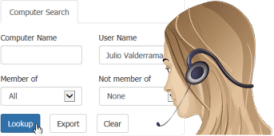
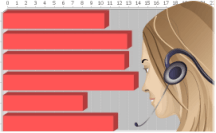
Karen then selects Login History. She just needs a quick look at the most recent logins on Julio’s computer to see that nothing is wrong. In fact, things look pretty good.
-
“Your computer wasn’t particularly slow this morning. In fact your login was around two seconds quicker today compared with yesterday morning.”
-
“Really? It felt like ages to me …”
After she has verified that login times on Julio’s computer are perfectly acceptable, Karen selects Startup History and checks the computer’s startup times.
-
“Your computer is in really good shape. I can see that your computer’s startup times are fine too. This morning, it actually started up more quickly than any other day this week.”
-
“I give in; it seems like you have all the evidence. Maybe it was just me who was anxious this morning …”
-
“That’s only human. You’re not the first caller to think that their computer is especially slow when they’re in a hurry. Sometimes there can be a big gap between the perceived login time and the time that it actually takes to log in.”
-
“Got it. Thanks. Bye!”