

DDM Assets
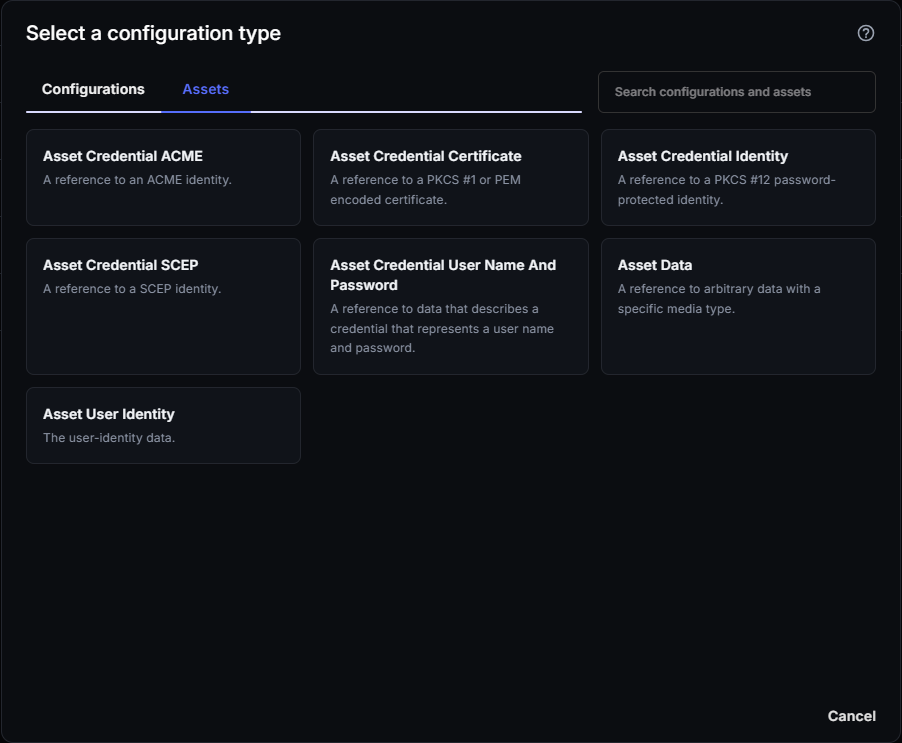
Assets are the second tab you’ll see when creating a new DDM configuration, alongside Configurations, at Apple → Configurations → DDM → New.
Asset vs. configuration
Section titled “Asset vs. configuration”A configuration is a declaration you assign to a device or group — it’s the thing that applies a setting. An asset isn’t assigned on its own. It’s a reference to a credential, identity, or piece of data that a configuration points to.
For example, a Security Certificate configuration doesn’t embed the certificate directly. Its Credential Asset Reference field points to an Asset Credential Certificate asset, and the asset supplies the certificate.
Use an asset when a configuration needs to point to a credential or piece of data. Use a configuration on its own when the setting doesn’t involve a credential, identity, or shared data — most configuration types (Passcode Settings, Software Update Settings, and so on) never need an asset.
These configuration types have fields that reference an asset:
| Configuration type | What it can reference |
|---|---|
| Security Certificate | Asset Credential Certificate |
| Security Identity | Asset Credential Identity or Asset Credential SCEP (an Asset Credential ACME asset isn’t offered in the list) |
| Account CalDAV, Account CardDAV, Account LDAP | Asset Credential User Name And Password |
| Account Google | Asset User Identity |
| Account Exchange | Asset Credential User Name And Password, Asset Credential Identity, or Asset User Identity |
| Account Mail | Asset Credential User Name And Password or Asset User Identity |
Asset types
Section titled “Asset types”| Asset type | What it’s for |
|---|---|
| Asset Credential ACME | A reference to an ACME identity. |
| Asset Credential Certificate | A reference to a PKCS #1 or PEM encoded certificate. |
| Asset Credential Identity | A reference to a PKCS #12 password-protected identity. |
| Asset Credential SCEP | A reference to a SCEP identity. See SCEP in CapaOne for how SCEP issuance works. |
| Asset Credential User Name And Password | A reference to data that describes a credential that represents a username and password. |
| Asset Data | A reference to arbitrary data with a specific media type. |
| Asset User Identity | The user-identity data. |
Creating an asset
Section titled “Creating an asset”- Navigate to Apple → Configurations → DDM and click New.
- Switch to the Assets tab.
- Select the asset type you need and fill in its details.
- Save the asset.
Once saved, the asset is available to reference from any configuration that supports it — you don’t assign an asset to a device or group directly.
Reference an asset from a configuration
Section titled “Reference an asset from a configuration”-
Create the asset first. See Creating an asset.
-
Create or open the DDM configuration, for example Security Identity.
-
In the field that ends with Asset Reference, such as Credential Asset Reference, select the asset by name. The list only shows your assets of the types that the field accepts.

-
Save the configuration and assign it to endpoints or groups.
Saved assets are listed on the Assets tab of Apple → Configurations → DDM. The Configurations column shows how many configurations reference each asset.

To see which configurations use an asset, open the asset and select its Configurations tab.

Good to know
Section titled “Good to know”- Assets aren’t assigned to devices directly — only configurations are. An unused asset has no effect until a configuration references it.
- Certificate-based assets need the same chain-of-trust care as Legacy SCEP profiles — see SCEP in CapaOne for the trust issues that apply equally to Asset Credential SCEP and Asset Credential Certificate.
- See DDM Configuration Types Reference for the configuration types that can reference these assets.