
Vulnerabilities
Vulnerability Views
Section titled “Vulnerability Views”Endpoints
Section titled “Endpoints”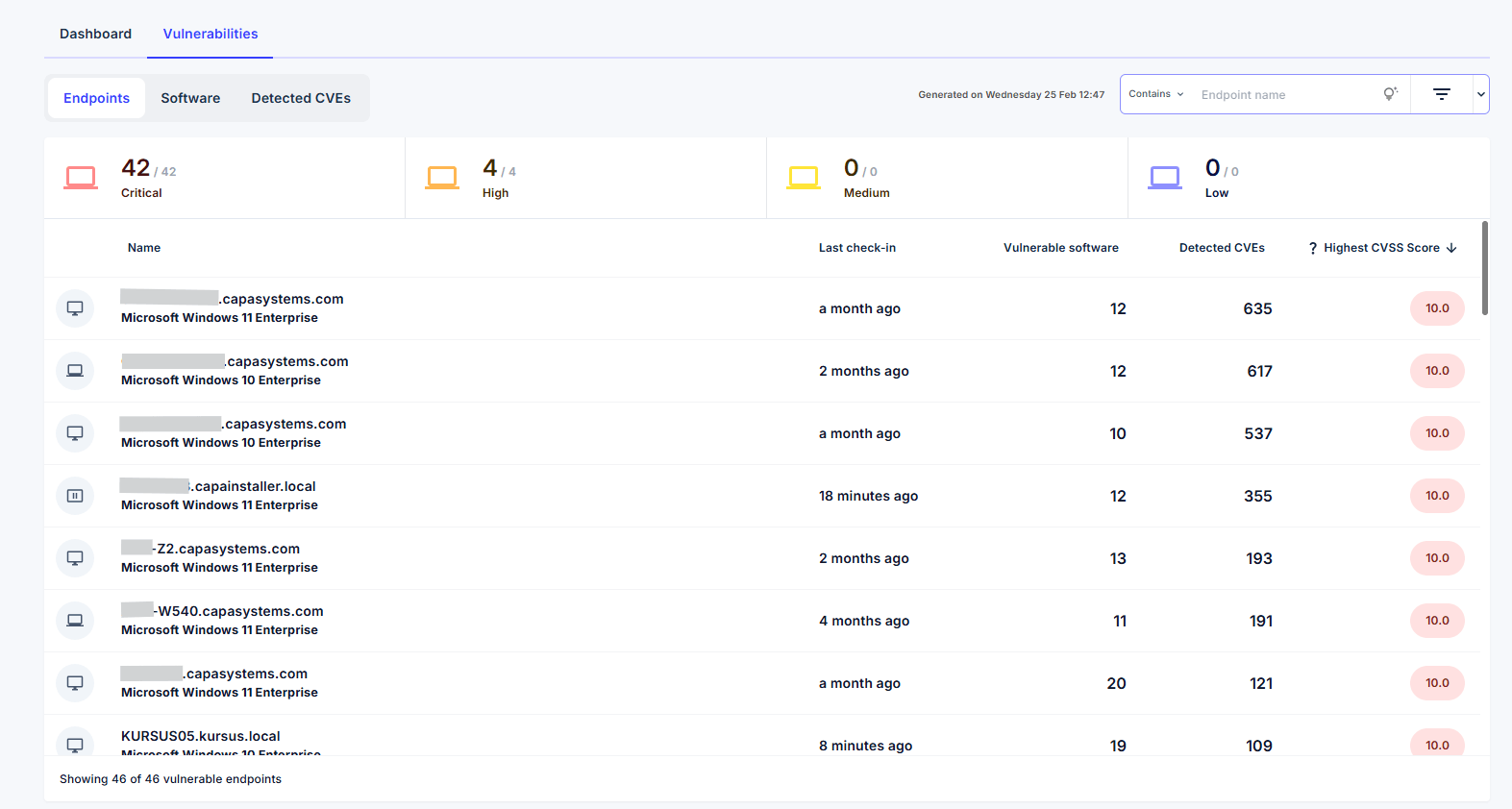
The Endpoints view highlights which devices are most exposed to security risks.
Each entry displays:
- Device Name
- Last Check-in
- Vulnerable Software Count
- Detected CVEs
- Highest CVSS Score
The CVSS Score (0–10) is a standardized severity rating indicating the criticality of a vulnerability.
Navigation
Section titled “Navigation”Selecting values within the table provides quick navigation:
- Device Name opens the device-specific security view.
- Vulnerable Software switches to the Software view filtered by the selected endpoint.
- Detected CVEs switches to the CVE view filtered by the selected endpoint.
Sorting and Filtering
Section titled “Sorting and Filtering”The list can be sorted by:
- Name
- Last Check-in
- Vulnerable Software
- Detected CVEs
- Highest CVSS Score
Filtering options allow further refinement based on endpoint-specific criteria.
Software
Section titled “Software”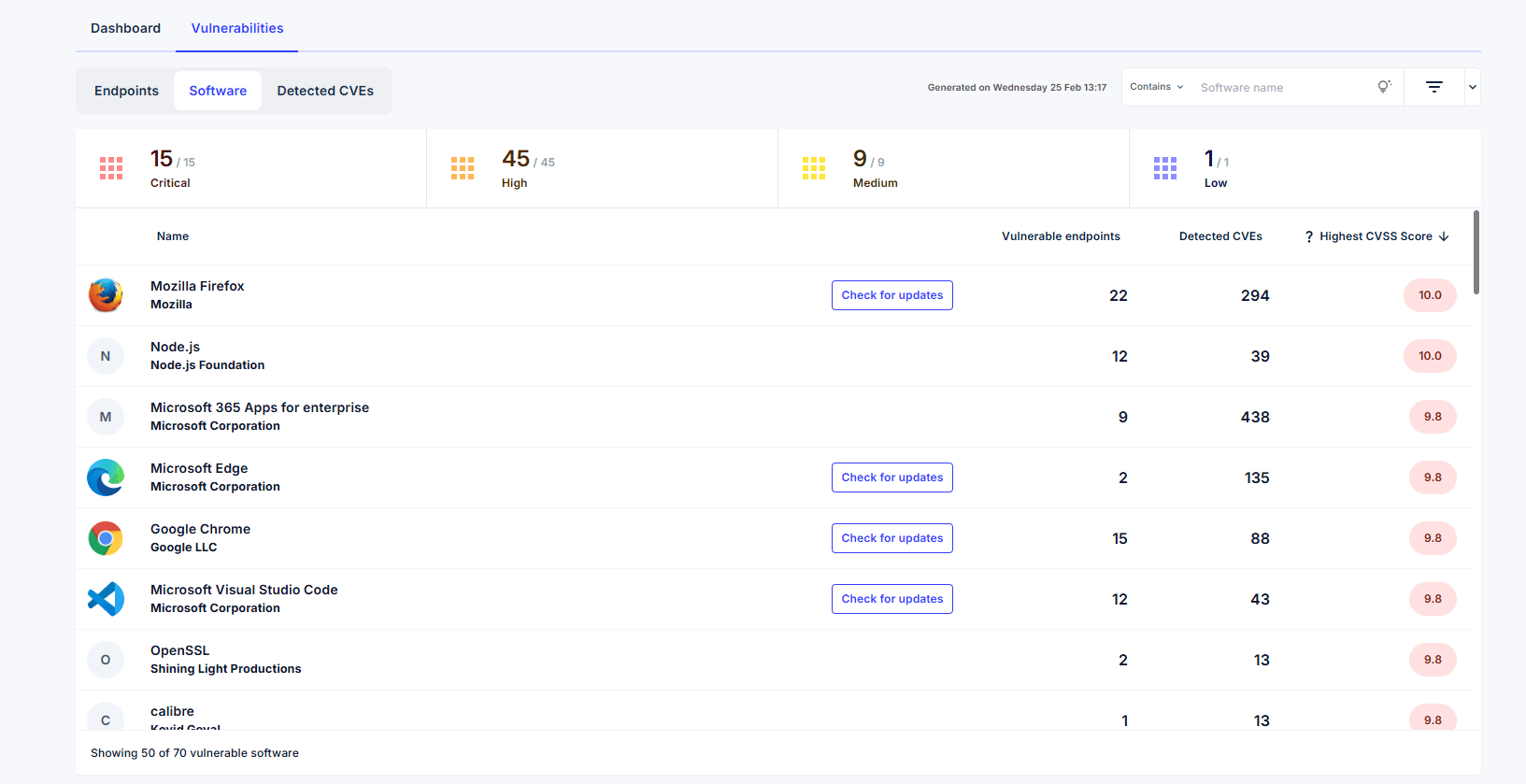
The Software view highlights applications that introduce security risks across the environment.
Each entry displays:
- Software Name and Vendor
- Vulnerable Endpoints Count
- Detected CVEs
- Highest CVSS Score
If the software is supported within Repository Apps, a Check for Updates option is available. This provides direct access to the corresponding repository application page to review available updates when endpoints are not running the latest published version.
Navigation
Section titled “Navigation”- Software Name opens the Detected CVEs view filtered by that software.
- Vulnerable Endpoints switches to the Endpoints view filtered accordingly.
- Detected CVEs performs the same filtered navigation.
Sorting and Filtering
Section titled “Sorting and Filtering”Sorting is available by:
- Name
- Vulnerable Endpoints
- Detected CVEs
- Highest CVSS Score
Filtering options are specific to the Software view
Detected CVEs
Section titled “Detected CVEs”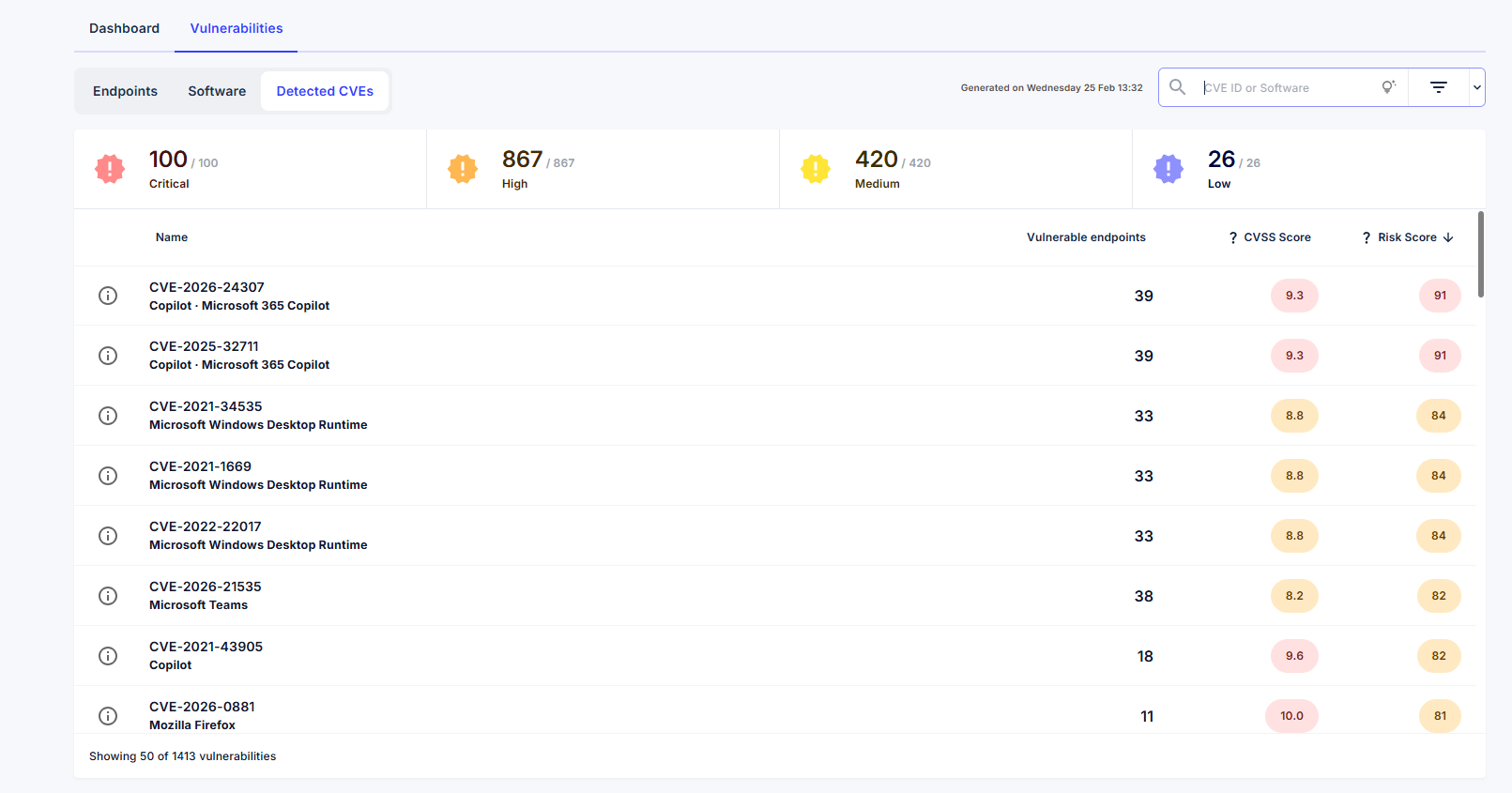
The Detected CVEs view provides insight into the specific vulnerabilities affecting your environment.
Each entry displays:
- CVE Identifier
- Vulnerable Endpoints Count
- CVSS Score
- Risk Score – CapaOne’s contextual scoring system reflecting organizational impact
Navigation
Section titled “Navigation”- Selecting a CVE opens a dedicated CVE details page.
- Selecting Vulnerable Endpoints switches to the Endpoints view filtered by the selected CVE.
Sorting and Filtering
Section titled “Sorting and Filtering”Sorting is available by:
- Name
- Vulnerable Endpoints
- CVSS Score
- Risk Score
Filtering options allow focused investigation based on severity and risk relevance.
CVE details
Section titled “CVE details”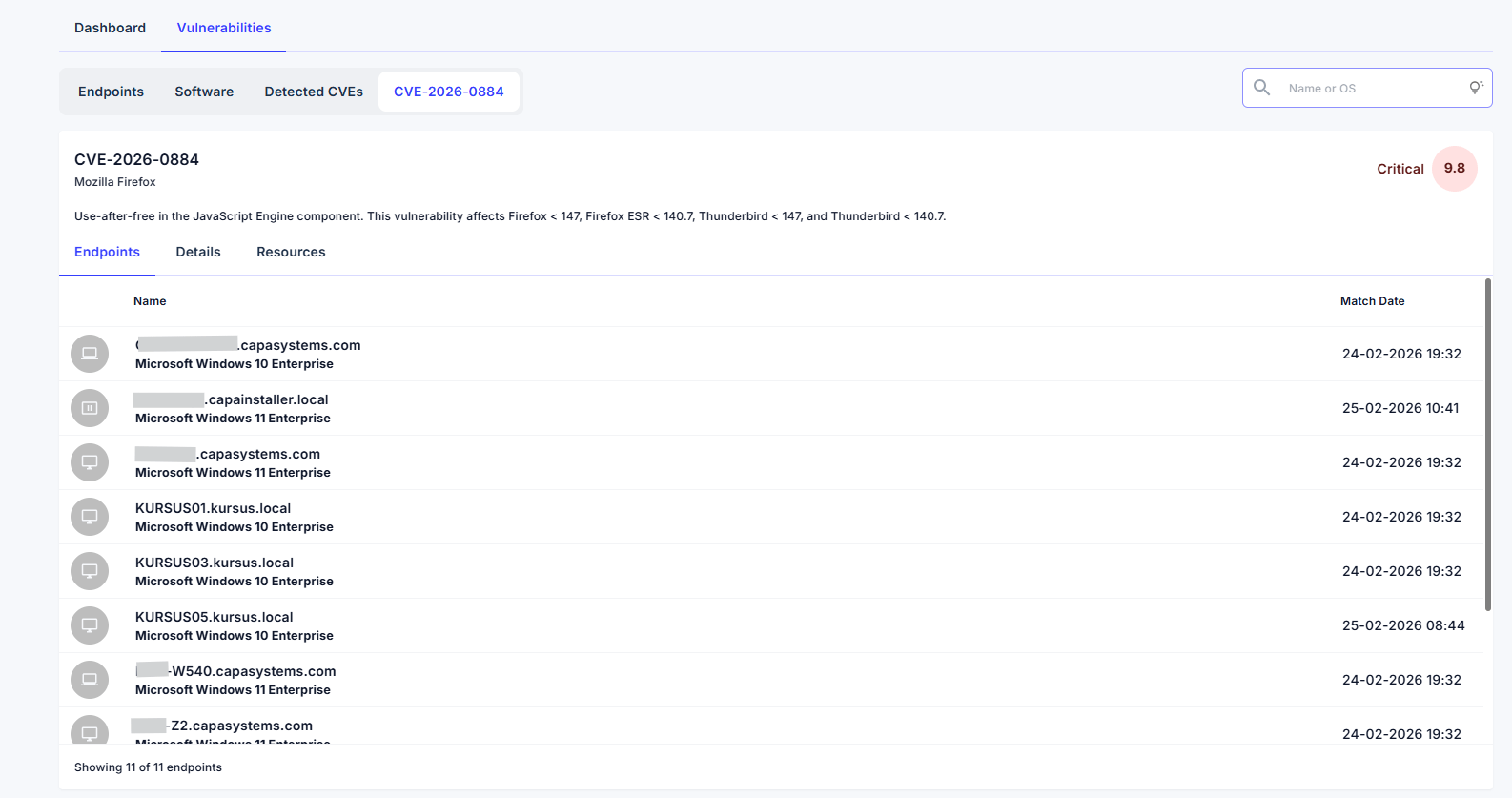
Selecting a CVE opens a details page providing comprehensive insight into the vulnerability.
The view includes three sections:
Endpoints
Section titled “Endpoints”Displays endpoints where affected software is installed, allowing administrators to quickly assess exposure.
Details
Section titled “Details”Provides structured vulnerability information including:
- Affected Software
- CVE Summary
This section explains how the vulnerability impacts the environment.
Resources
Section titled “Resources”Provides authoritative reference links related to the CVE, including external vulnerability databases and technical documentation containing mitigation guidance and additional information.
Overall, this view enables administrators to understand vulnerability impact, evaluate exposure across endpoints, and prioritize remediation efforts effectively.