AdminOnDemand 2.5 - Release Notes
Product released June 12, 2024 - Document updated February 23, 2026
Azure AD multi-tenant support
Section titled “Azure AD multi-tenant support”We have encountered scenarios where the Azure user entity resided on one Azure tenant and the group membership was resolved on another Azure tenant.
We have also encountered scenarios where the user entity wasn’t allowed to resolve group membership from an Azure tenant.
In both scenarios, the user was denied elevation of privileges.
To rectify the encountered issues, we have adjusted the way that AdminOnDemand validates group membership in Azure AD.
The user login is (still) performed directly against Azure AD.
The group membership is resolved by querying the CapaOne API.
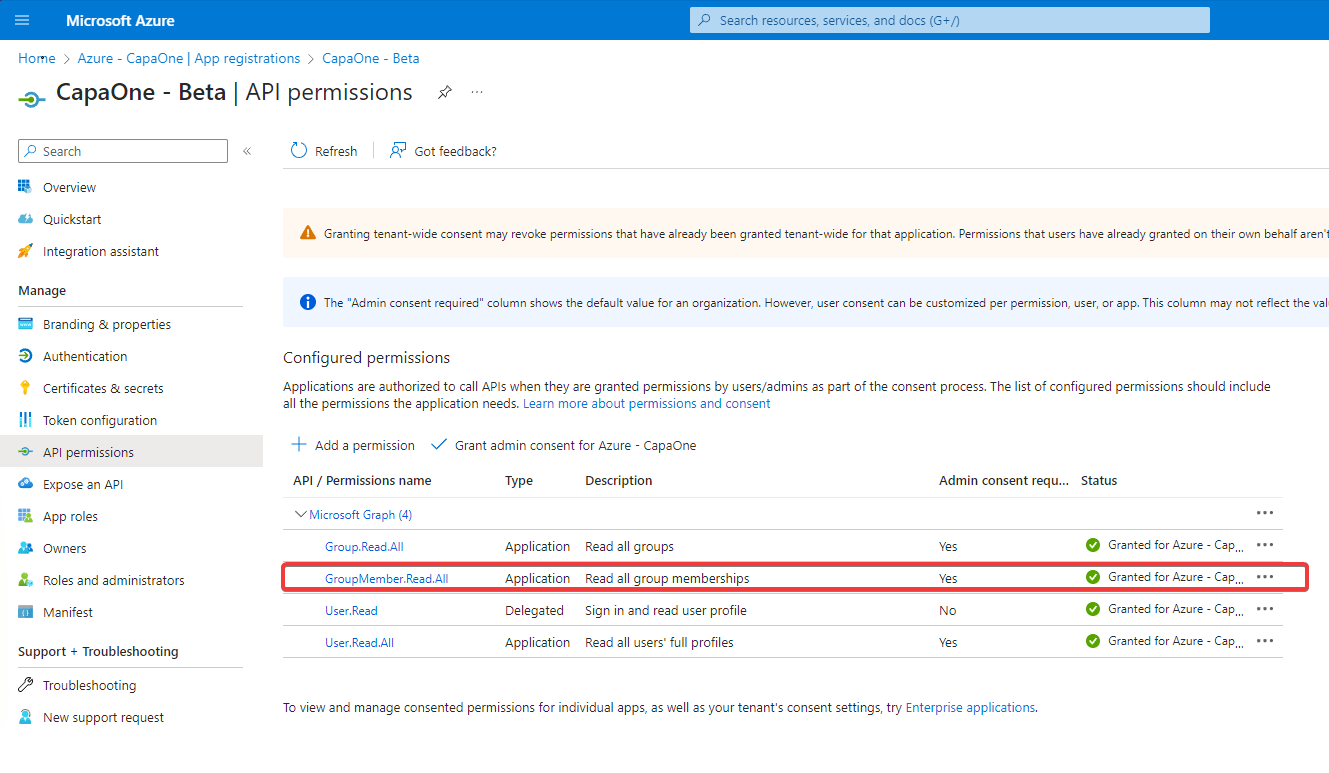
:info: To allow the Azure AD integration from CapaOne to synchronize the necessary group information, please verify that you have configured the API permission GroupMember.Read.All as shown below
Run as different user functionality
Section titled “Run as different user functionality”Several of our customers have requested an option to empower their IT-employees to elevate their privileges on endpoints, without knowing end-user credentials.
Because session elevation with Azure AD validation always prompts for user credentials, when Azure AD is reachable, it’s now possible.
Control panel applet elevation
Section titled “Control panel applet elevation”Several of our customers have requested an option to allow end-users to control specific Windows settings, such as network configuration.
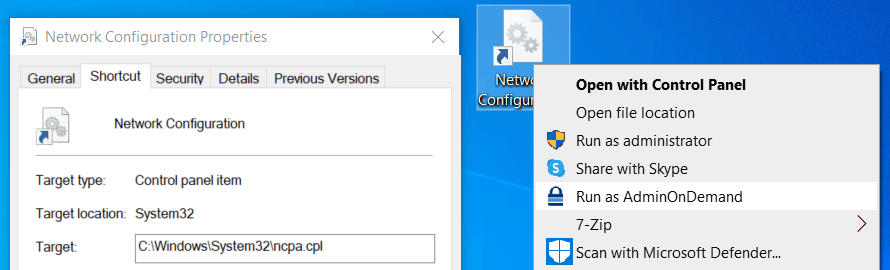
To accommodate this, we have integrated an option to allow only specified control panel applets when using process elevation. Control panel applets are usually activated by *.cpl files.
In the example below, a shortcut pointing to C:\Windows\System32\ncpa.cpl has been created on the desktop, to allow end-users to easily access network configuration with elevated privileges.