
AdminOnDemand 1.4 - Release Notes
Product released May 11, 2022 - Document updated May 11, 2022
Process Elevation Rules
Section titled “Process Elevation Rules”Process Elevation Rules make it possible to control which parent and child processes end-users are allowed to start with elevated privileges.
The security of the product increases significantly when using this feature.
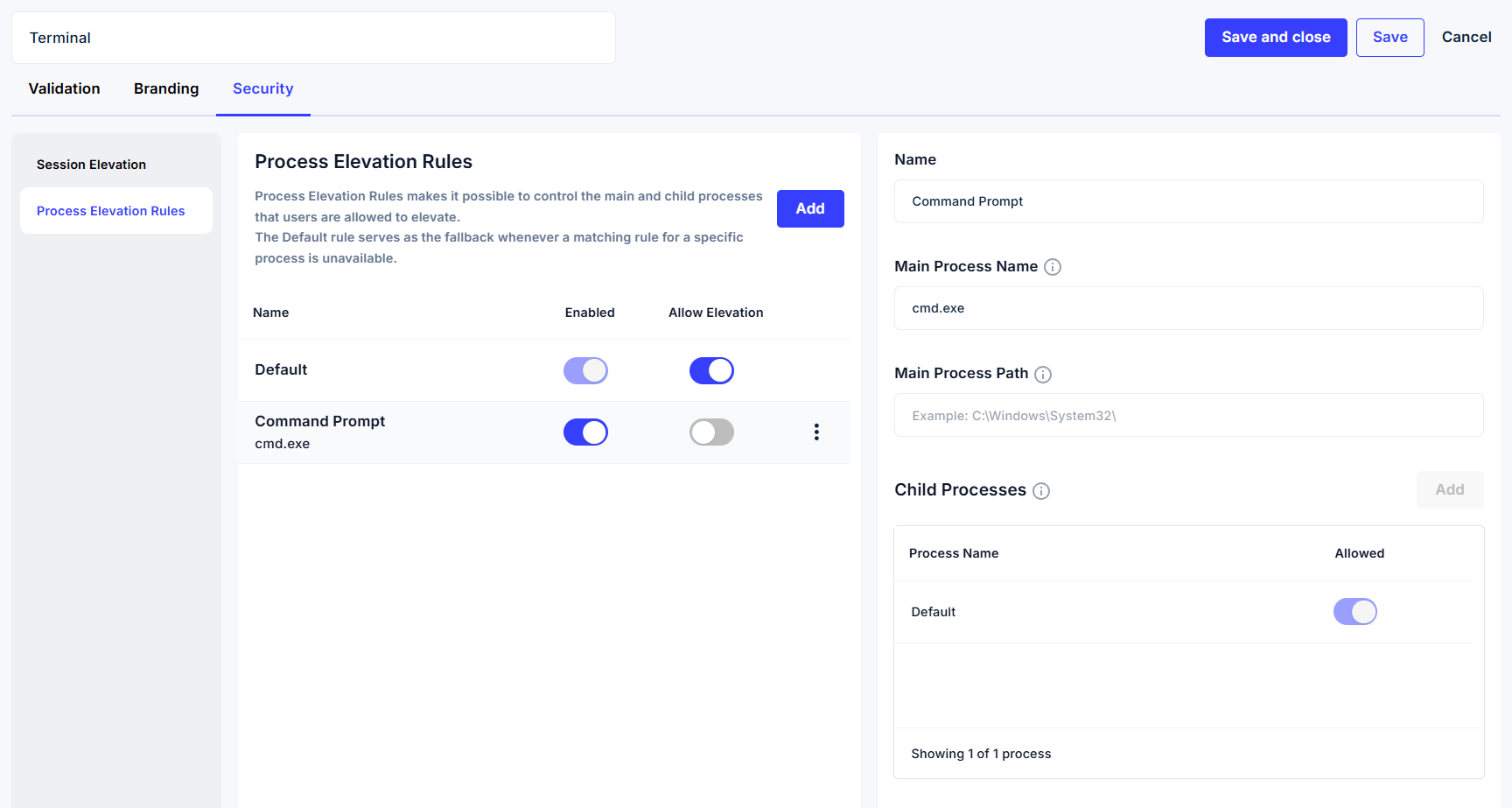
Example 1
All processes except cmd.exe and powershell.exe are allowed to be executed with elevated privileges.
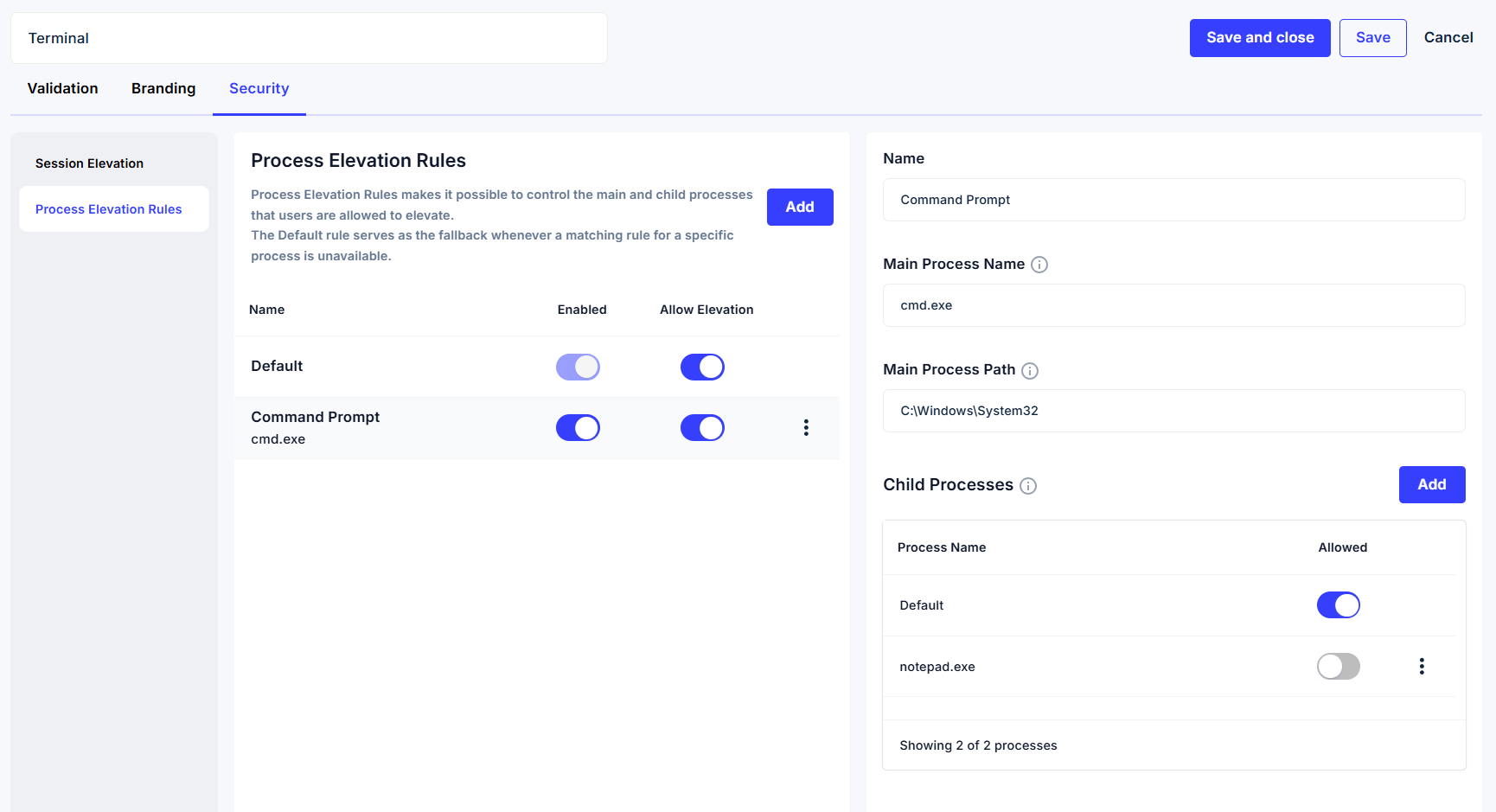
Example 2
cmd.exe is allowed to be executed with elevated privileges.
notepad.exe is not allowed to be executed as a child processes from the cmd.exe process.
Rejected Elevations
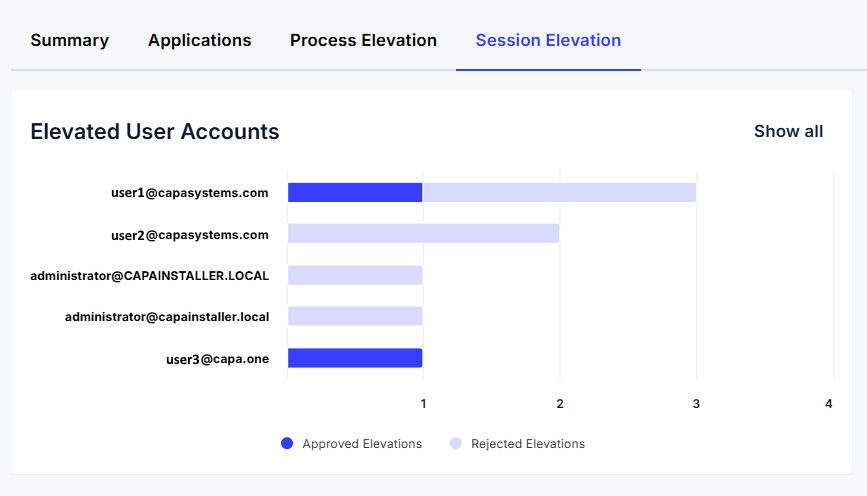
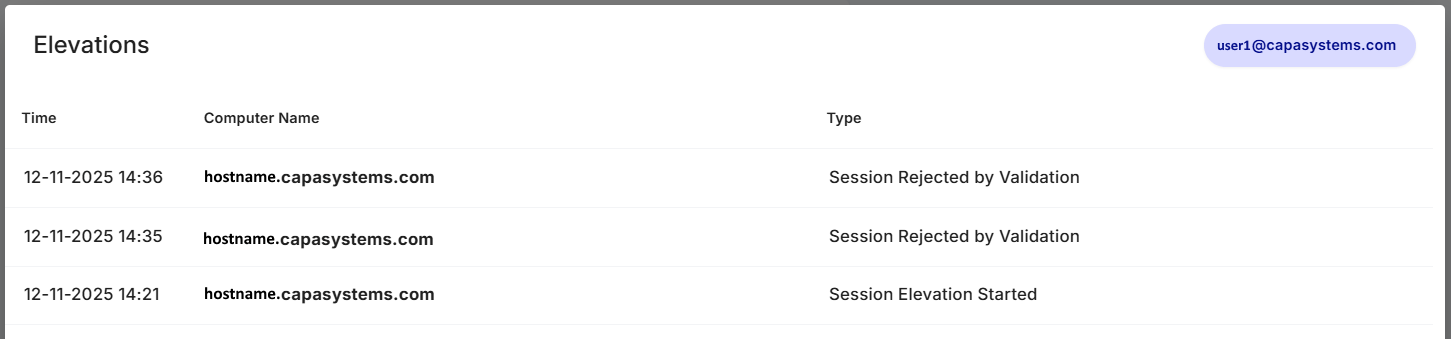
Section titled “Rejected Elevations”Rejected Elevations are presented on the “Elevated User Accounts” chart.
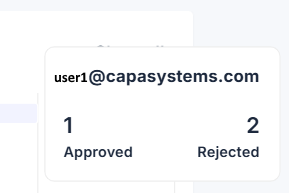
The number of approved elevations and rejected elevations are shown when placing the mouse cursor on one of the bars.
The reason for rejected elevations is shown when clicking on one of the bars.
Minor Improvements
Section titled “Minor Improvements”The product has been improved with :
- Faster dashboard load times
- GUI adjustments